Heusinkveld DisplayDash Button Box & Digital Dash
- Regular price
- $599.00
- Regular price
-
- Sale price
- $599.00
- Unit price
- per

Vendor : Heusinkveld
Product Type : Button Box
Sku : HE-DD-D1
Couldn't load pickup availability
 Secure Checkout
 5 Star Service
 Phone Support
 Manufacturer Warranty
Heusinkveld · DisplayDash · Button box and digital dash
Heusinkveld DisplayDash Button Box & Digital DashPhysical input, digital context.
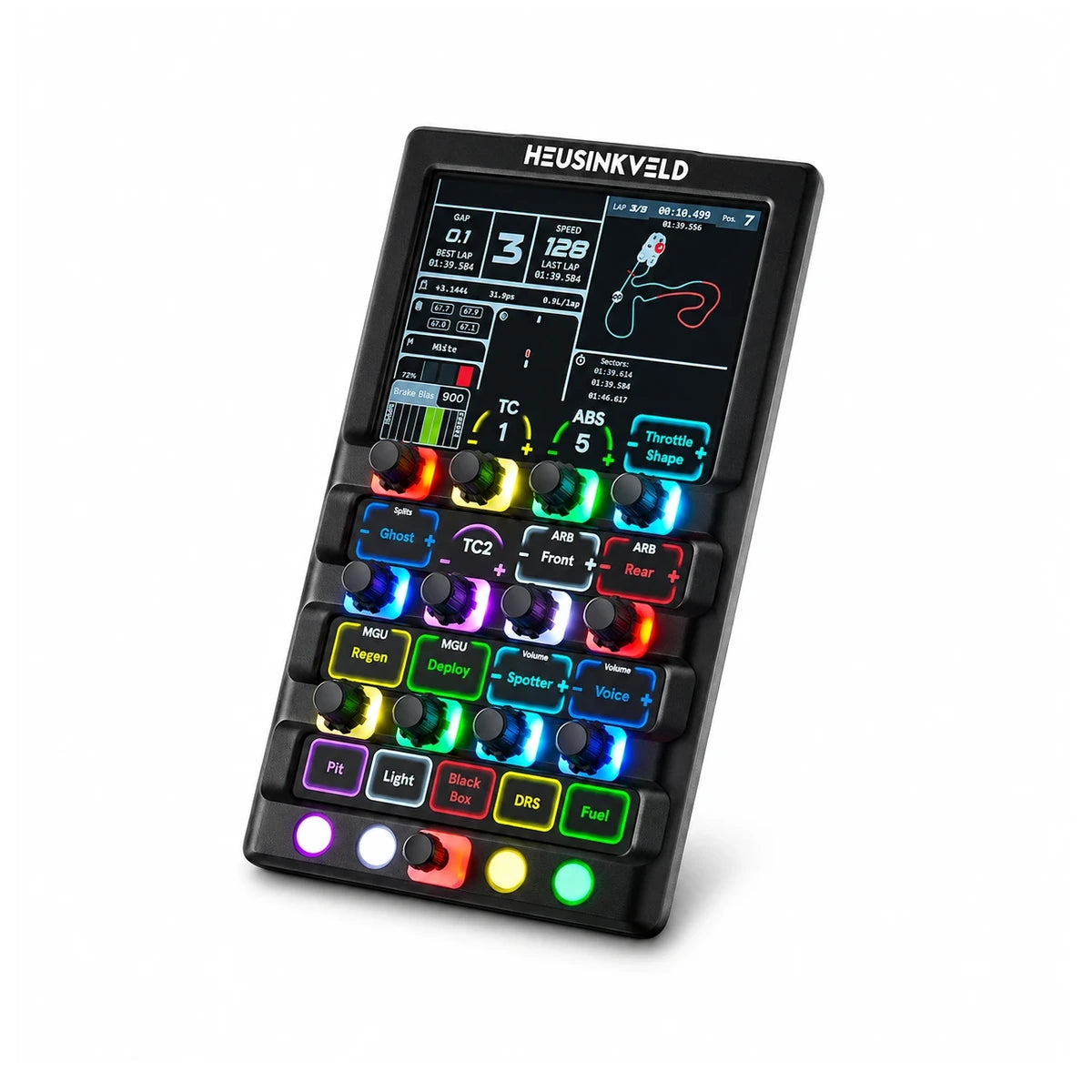
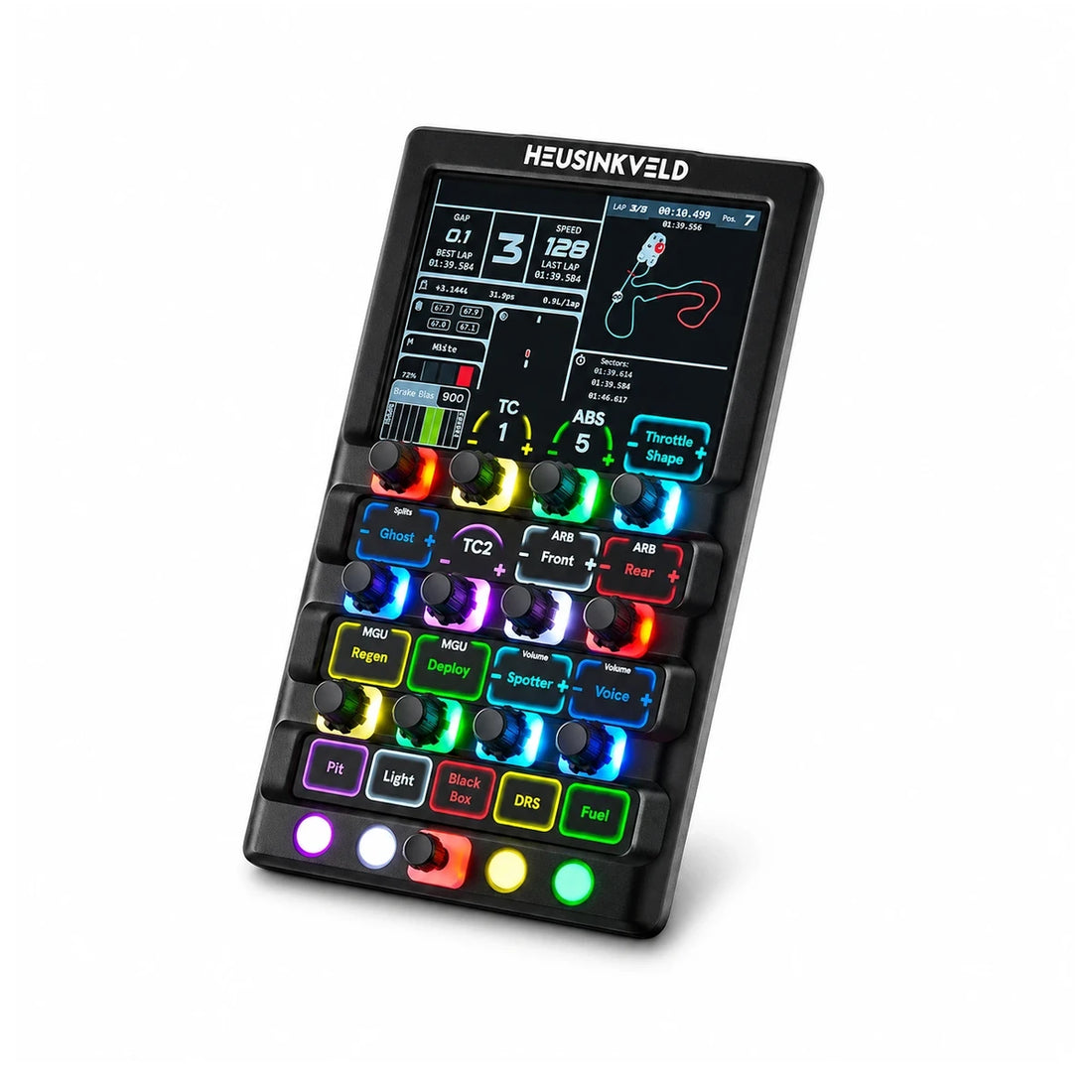
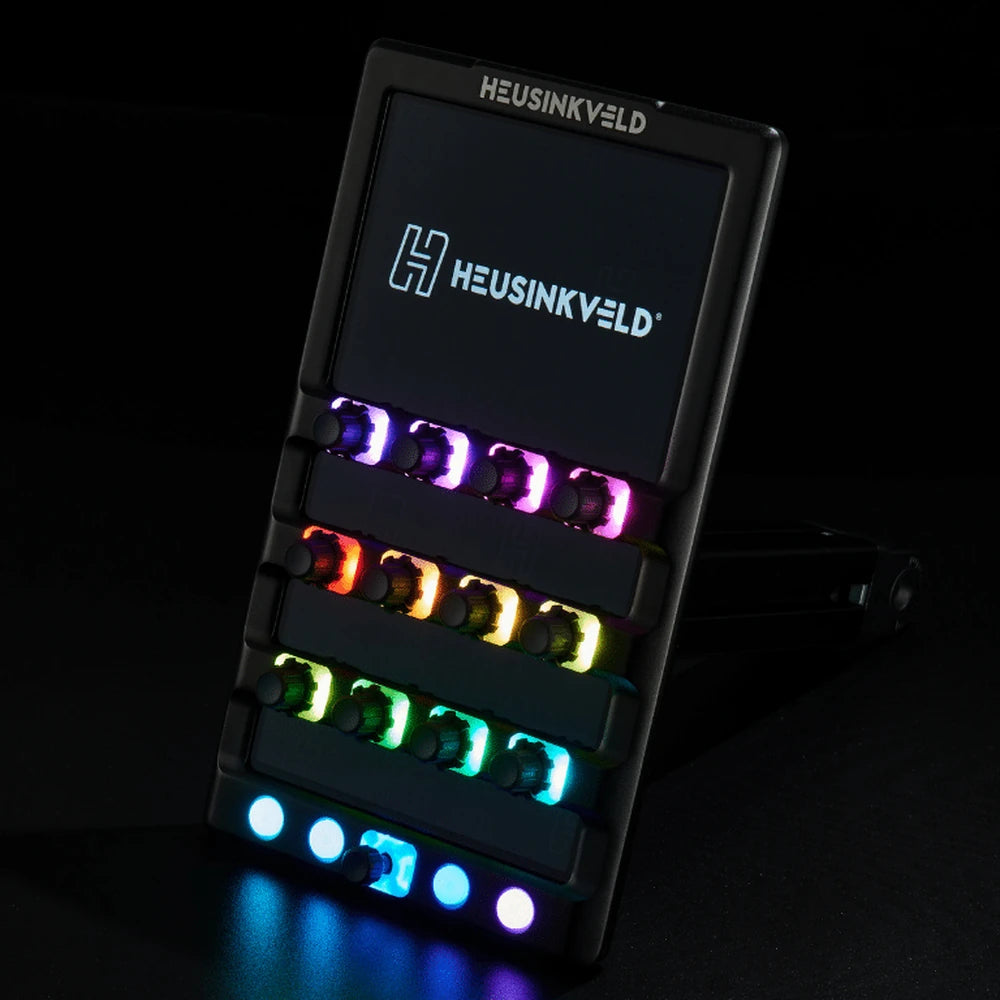
The DisplayDash is a sim racing button box and a digital dashboard in one premium aluminium housing. Twelve push rotaries, four buttons and a 7-way switch give you 47 inputs, and the touch display above them shows exactly what each control does and its current value, live.
No more stickers or guessing which knob is brake bias. When you change car or sim, the labels follow. The top of the screen runs your favourite SimHub dashboards, and the whole unit runs from a single USB cable, with no HDMI or DisplayPort needed.
Player1 Sim Gear is an authorised Australian Heusinkveld dealer. Prices are in AUD and include GST, with warranty support handled locally from Queensland.

Why DisplayDash
A button box that tells you what every button does
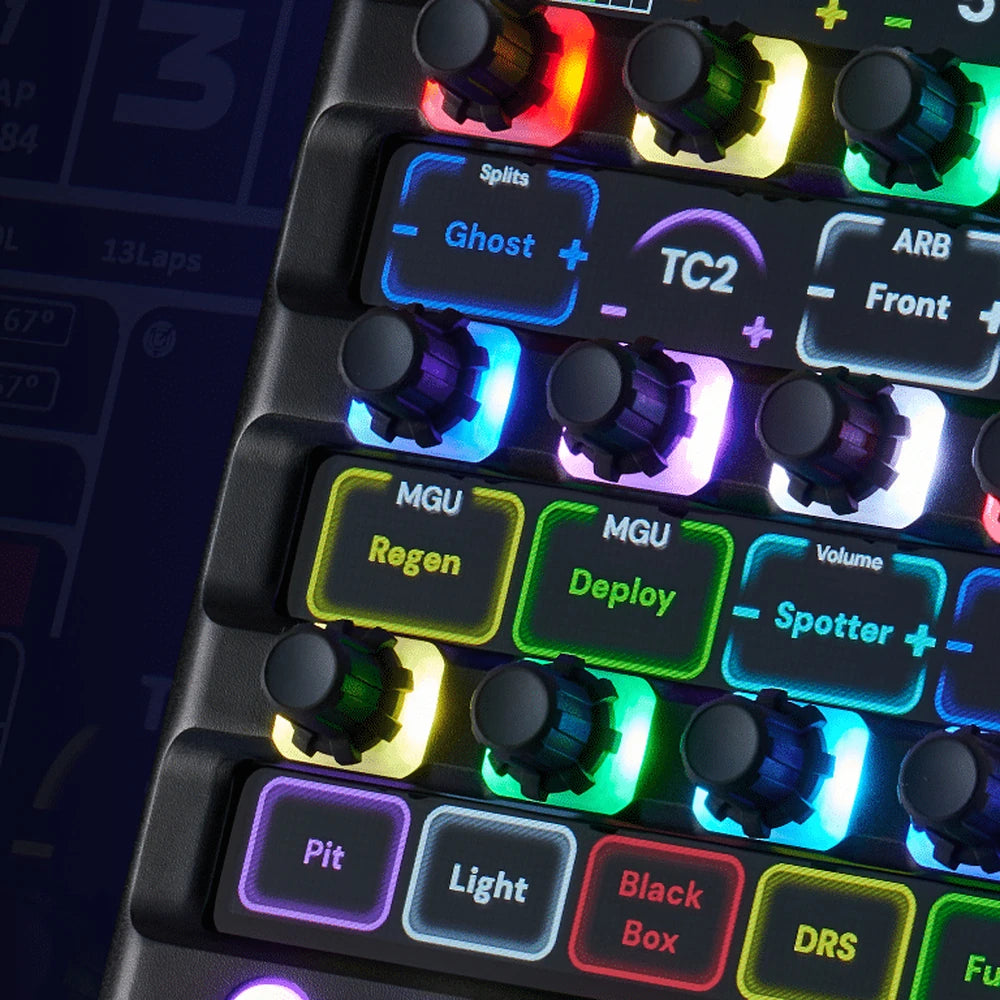
Live labels above every control
The display shows the function and current value directly above each rotary and button, so you never need stickers or a cheat sheet.
Dozens of in-car functions at your fingertips
Brake bias, TC, ABS, ARB, engine maps, MGU, pit limiter, lights and more, on real knobs instead of buried in an on-screen menu.
47 inputs from 17 controls
12 push rotaries, 4 push buttons and a 7-way switch. Each rotary turns both ways and pushes, which is how 17 physical controls add up to 47 inputs.
A dashboard on top
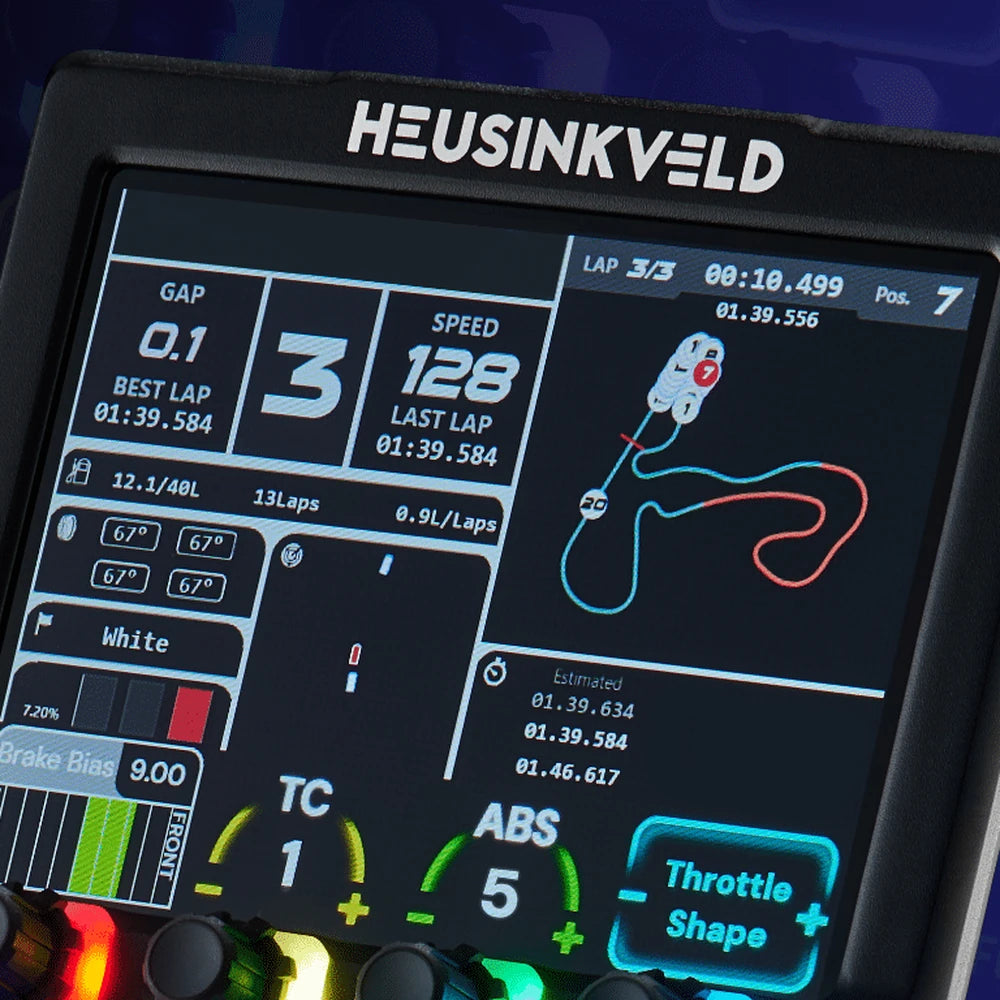
Extra screen space at the top runs commonly supported SimHub dashboards, so gap, lap times, fuel and a track map sit right beside your controls.
17 configurable RGB LEDs
Every input is backlit. Set colours per function so you can find the right knob by colour alone, even in your peripheral vision.
Premium full aluminium housing
Heusinkveld's engineering standard in a rigid aluminium body, built to be twisted and pushed lap after lap.
Feature spotlight
Where the button box meets the dash

Physical input, digital context
Every traditional button box has the same problem: the label on the sticker never matches the car you are driving today. DisplayDash fixes that by drawing the label on screen, directly above each control.
Depending on what the sim and the car offer, it dynamically adds context to all 12 push rotaries, 4 push buttons and the 7-way switch. You see "ARB Front" and its current setting, not "Rotary 7".

A full touch display with dashboard space
The entire display is touch-sensitive, and the area above the controls is free for a digital dashboard. Run existing SimHub dashboards or build your own, showing gap, speed, gear, lap times, fuel, tyre temperatures or a track map.
That means one device can replace both a separate DDU screen and a labelled button box on your rig.

17 RGB LEDs you set up your way
Seventeen fully configurable RGB LEDs sit behind the inputs. Group functions by colour, for example brakes in red, hybrid in green and comms in blue, so muscle memory and colour do the work while your eyes stay on the track.
Combined with the on-screen labels, you always know what an input means, even in a dark room or a quick glance mid-corner.
Engineered in the Netherlands
Clean install, one cable
Heusinkveld built its reputation on load cell pedals, the MagShift shifter, the handbrake and the One steering wheel. The DisplayDash brings the same function-first thinking to the controls beside your wheel.
Single USB connection
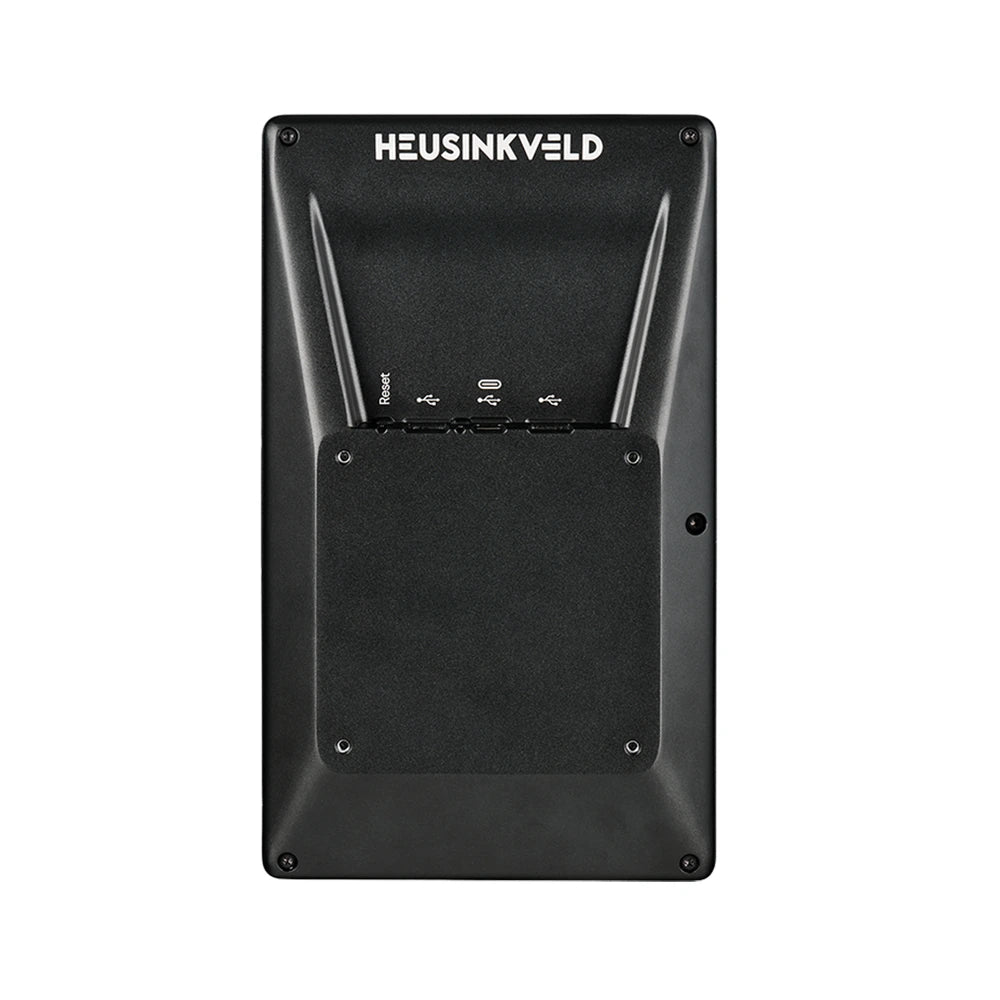
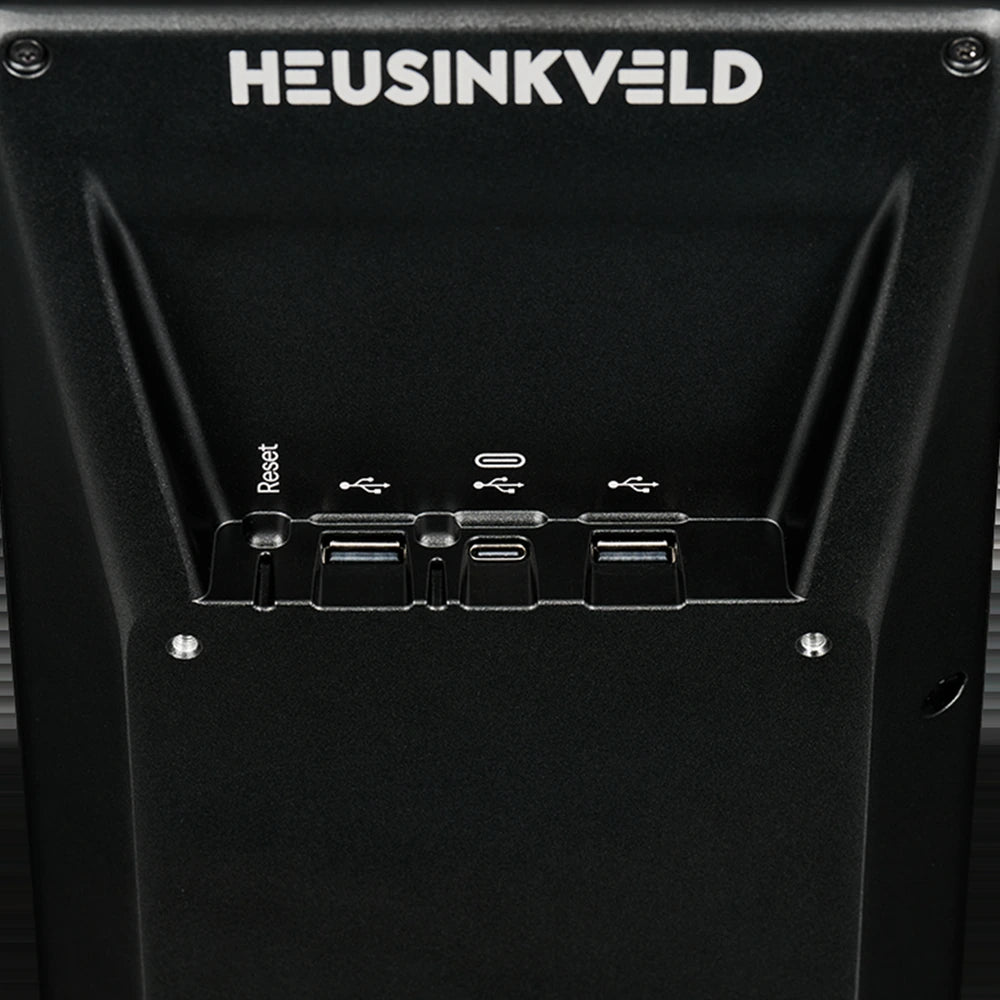
Power, display and inputs over one USB cable. No HDMI or DisplayPort run back to your PC.
2-port USB hub on the rear
Plug other peripherals into the DisplayDash itself and keep cable runs to the PC short and tidy.
100 x 100 VESA mount
A standard VESA pattern on the back, with the optional Heusinkveld DisplayDash Mount for aluminium profile rigs.
How it compares
Button box, dash or DisplayDash?
| What you get | Typical button box | Typical dash (DDU) | Heusinkveld DisplayDash |
|---|---|---|---|
| Physical rotaries and buttons | Yes | No | Yes, 47 inputs |
| Labels that change per car and sim | No, fixed stickers | Not applicable | Yes, on screen above each control |
| Live values beside each control | No | Partly, on the dash page | Yes |
| Telemetry dashboard | No | Yes | Yes, SimHub dashboards up top |
| Touch screen | No | Some models | Yes, entire display |
| Cables to the PC | USB | USB, some need HDMI | Single USB, plus a 2-port hub |
Prefer a classic setup? Browse our button boxes and digital dashboards, or call us on 0488 385 870 and we will help you choose.
Mounting and compatibility
Will it work with my rig?
| Setup | Works with DisplayDash? | Notes |
|---|---|---|
| Windows PC with SimHub | Yes | Heusinkveld lists the DisplayDash as compatible with SimHub (PC only), with support for existing and custom dashboards. |
| Any wheelbase brand | Yes | It connects to your PC on its own USB cable rather than through the wheelbase, so it sits happily alongside Simagic, MOZA, Simucube, Fanatec and Heusinkveld setups. |
| VESA 100 x 100 mounts | Yes | Bolts to any 100 x 100 VESA plate or arm, for example our Button Box VESA Mount. |
| Aluminium profile rigs | Yes, with a mount | Use the Heusinkveld DisplayDash Mount, a 150mm profile arm with two joints and a VESA plate, or any VESA arm or bracket that fits your rig. |
| Xbox and PlayStation | No | SimHub is PC software, and Heusinkveld lists PC only. |
Compatibility is based on Heusinkveld's published information. Mounting needs vary by cockpit, so tell us your rig and where you want the DisplayDash and we will suggest the cleanest way to fit it.
Technical specifications
Heusinkveld DisplayDash specifications
Heusinkveld · HE-DD-D1
Heusinkveld DisplayDash
Before you order
What you need to run it
- A Windows PC running SimHub. SimHub drives the labels, LEDs and dashboards. It is third-party software with a free version.
- One free USB port. A single cable carries everything, and the rear hub gives you two ports back.
- A VESA 100 x 100 mounting point. Use the Heusinkveld DisplayDash Mount, a VESA arm, or a plate such as our Button Box VESA Mount.
- A sim that exposes the data. Labels and values depend on the functions the simulator and car make available.
Common questions
Frequently asked questions
What is the Heusinkveld DisplayDash?
It is a sim racing button box and digital dashboard in one. It has 12 push rotaries, 4 push buttons and a 7-way switch (47 inputs), 17 configurable RGB LEDs and a full touch display that shows the function and current value above every control, plus space at the top for a SimHub dashboard.
How is it different from a normal button box?
A normal button box uses fixed stickers, so the labels rarely match the car you are driving. The DisplayDash draws each label on screen directly above the control and updates it with live values, so you always know what a knob does and where it is set.
How many inputs does the DisplayDash have?
47 in total, from 12 push rotaries, 4 push buttons and one 7-way switch. Each rotary turns in both directions and pushes, which is why the input count is higher than the number of controls.
Is the screen a touchscreen?
Yes. Heusinkveld states the entire display is touch-sensitive.
Does it need an HDMI or DisplayPort cable?
No. The DisplayDash runs on a single USB connection, with no HDMI or DisplayPort required. It also has a 2-port USB hub on the back for other accessories.
Does it work with SimHub?
Yes. Heusinkveld lists it as compatible with SimHub on PC, supporting both existing and custom dashboards. SimHub controls the dashboard area, the dynamic labels and the RGB LEDs.
Can I use my own SimHub dashboards on it?
Yes. The extra dashboard space at the top of the display runs commonly supported SimHub dashboards, and Heusinkveld says custom dashboards are supported too.
Do the labels change when I switch cars or sims?
That is the point of the DisplayDash. Depending on the functions the simulator software or car offers, it adds context to each control dynamically, so the labels and values follow the car you are driving.
Does it work on Xbox or PlayStation?
No. It relies on SimHub, which is PC software, and Heusinkveld lists the DisplayDash as PC only.
Will it work with my Simagic, MOZA, Fanatec or Simucube wheelbase?
Yes. The DisplayDash connects to your PC on its own USB cable rather than through the wheelbase, so it works alongside any brand, including Simagic, MOZA, Fanatec and Simucube.
How do I mount the DisplayDash?
It has a 100 x 100 VESA pattern on the back, so it fits any VESA 100 plate or arm, such as our Button Box VESA Mount. For aluminium profile rigs, Heusinkveld's own DisplayDash Mount adds a 150mm profile arm, two adjustable joints and a VESA plate.
How big is the DisplayDash?
Heusinkveld quotes approximately 265 x 150mm. It is a compact upright unit designed to sit beside or below your wheel.
What is the housing made of?
A premium full aluminium housing.
Can I change the LED colours?
Yes. All 17 RGB LEDs are fully configurable, so you can colour-code functions or use the LEDs to signal vehicle states and telemetry.
Can it replace my separate dash display?
For many setups, yes. The top of the screen runs SimHub dashboards, so you get telemetry and controls in one unit. If you want a larger dedicated screen in front of the wheel, see our digital dashboards.
Does it pair well with other Heusinkveld gear?
Yes. It suits a full Heusinkveld cockpit with the One steering wheel, Sprint or Ultimate+ pedals and the MagShift shifter. Browse all Heusinkveld gear.
Who handles warranty in Australia?
As an authorised Australian Heusinkveld dealer, Player1 Sim Gear handles warranty claims locally from Queensland, and your rights under the Australian Consumer Law also apply.
Are your prices in AUD and do they include GST?
Yes. All prices on our site are in Australian dollars and include GST, so there are no import duties or surprise fees on delivery.
When is it available, and how is it delivered?
The DisplayDash is a new Heusinkveld release. For current stock, an ETA and a delivery estimate to your postcode, call us on 0488 385 870. We ship Australia-wide, with the delivery cost shown at checkout.
Complete your setup
Mount it and build out your cockpit

DisplayDash Mount
Profile arm, 2 joints, VESA plate
Shop the mount →

Heusinkveld One
Wireless sim racing wheel
Shop the One →

Sprint Pedals
Load cell 3-pedal set
Shop Sprint →

Digital Dashboards
Dedicated dash screens
Shop dashboards →
Questions about the Heusinkveld DisplayDash?
Player1 Sim Gear is an authorised Australian Heusinkveld dealer. Tell us your rig and sims and we will help you plan the mounting and the rest of your cockpit.
Australia-Wide Shipping
We ship all over Australia and want you to get your new gear as fast as possible, so we always aim to ship on the same day we receive your order, using the fastest and most reliable couriers in Australia. Of course, it may not always be possible to process your order on the same day, so please allow 1-2 business days for processing. If we encounter any delays we will let you know via email.
To maximise efficiency, Player1 Sim Gear ships all products in their original packaging straight from our warehouses or directly from our suppliers and manufacturers. Orders may be shipped in part or in full, and different courier companies may be used for different parts of your order. Please allow 2-8 business days for delivery. Please advise your phone number at checkout so we can get in touch with you if there is any problem. If you should receive a product that has been damaged while in transit please contact us immediately.
Please make sure someone will be available to receive your order, otherwise, your package may be diverted to your local post office or to your local shipping depot. We recommend all deliveries are sent to a business address to avoid any re-delivery charges. Note: Player1 Sim Gear will only ship to confirmed addresses, we cannot ship to PO Boxes sorry.
There may be times when the product you have ordered turns out to be out-of-stock with us or our suppliers. We will contact you to arrange a refund or alternate product if an item you have ordered is out-of-stock or unavailable for immediate shipment. You may cancel your order at any time prior to shipping.
International Orders: Apologies at the moment we don't ship internationally as standard. However if you outside Australia and there is something you'd like to purchase please do message us at sales@p1simgear.com.au, we will be happy to see what we can do.
Note re Larger cockpits and remote locations: We do our very best to ensure accurate shipping rates, however for larger cockpits and heavier items, rarely our shipping pricing may not be correct. In the event that the actual shipping costs for a large item should be exceed those quoted in your order, we will call you to discuss before we dispatch. You will have the option then to amend or cancel your order at no cost.
Returns Policy
We hope we can provide as much information and guidance as possible about each item so that you will love whatever you buy. We do understand though that the unforeseen happens. So in the unlikely event you wish to raise a return, please contact us and we shall discuss options and how we will proceed with the return request.
We have a 30-day return policy, which means you have 30 days after receiving your item to request a return. You may return your item(s) for an exchange/refund, so long as it is in the same condition that you received it, unopened, with tags and in its original packaging. You’ll also need the receipt or proof of purchase.
To request a return, you must first send an email to support@p1simgear.com.au with your Order number as the email subject and Reason for Return in the email body/message. We will reply to your email with your relevant return information. We will not accept any returned items if we have not had an email from you requesting a return, so you must request a return first, before sending anything back.
Damages and issues
Please inspect your order upon reception and contact us immediately if the item is defective, damaged or if you receive the wrong item, so that we can evaluate the issue and make it right.
Refunds
We will notify you once we’ve received and inspected your return, and let you know if the refund was approved or not. If approved, you’ll be automatically refunded on your original payment method. Please remember it can take some time for your bank or credit card company to process and post the refund too.
-
You, the buyer, are are fully responsible for paying all charges necessary to return the item to us. A restocking fee of up to 20% of the returned product's value may apply.
-
Items must be returned sealed and unused in their original packaging and in a fully resalable condition. All items are supplied to you, the customer, in brand new condition unless explicitly stated otherwise in the product title. For such items supplied in Brand New condition, if any seals have been broken, the item cannot subsequently be sold as new after the return, therefore the return will be declined or a restocking fee will be levied and partial refund given.
-
If the item is deemed DOA or faulty once opened, we shall troubleshoot and assess the nature of the fault and repair the item or replace like-for-like, should the fault be deemed a legitimate fault.
-
Items returned that are not in their original condition may not be accepted, and the refund request declined.
-
Returned items must be complete with all packaging in good condition, ready for immediate resale. All components and items within packaging (e.g. polystyrene/bubble wrap) must be returned also. We reserve the right to levy a charge to replace product packaging which is damaged / defaced / missing.
-
We cannot accept responsibility for returned parcels which are undelivered back to us (e.g. lost by the courier, delivered to incorrect address) or damaged in transit back to us. We strongly advise you send returned items using an insured & tracked service. Furthermore, we also strongly advise you to obtain and retain your proof of postage, as you may require it should you decide to make a claim against your carrier should they damage or lose your item whilst returning it to us.
For items which require assembly, we are not responsible for any charges (labour or otherwise) incurred during fitment/removal of allegedly faulty (or incorrectly supplied) parts.
Returns made outside of the 30-day return window, or with no valid reason, will be declined.
Pre-Order CancellationsIn the event a Pre-Order becomes unavailable or is cancelled by Player1 Sim Gear you, the buyer, are entitled to a full refund. In the event that you change your mind or choose to cancel your Pre-Order for any reason prior to shipment, cancellation fees may apply to offset any unrecoverable costs incurred by Player1 Sim Gear.
All products sold by Player1 Sim Gear are supported by a full Manufacturer Warranty. In the event of any issues please reach out to us on the Player1 Sim Gear Support Portal.