Simagic Maglink Pro
- Regular price
- $75.00
- Regular price
-
- Sale price
- $75.00
- Unit price
- per
Vendor : Simagic
Product Type : Wired Connection
Sku : SMG-AC-MLP
Couldn't load pickup availability
 Secure Purchase
 Free Shipping
 Satisfaction Guarantee
 Manufacturer Warranty


Product Detail
What MagLink Pro does

Wireless Technology
Proprietary Protocol. Zero Interference.
Dual Antenna · Anti-Interference · Low Latency
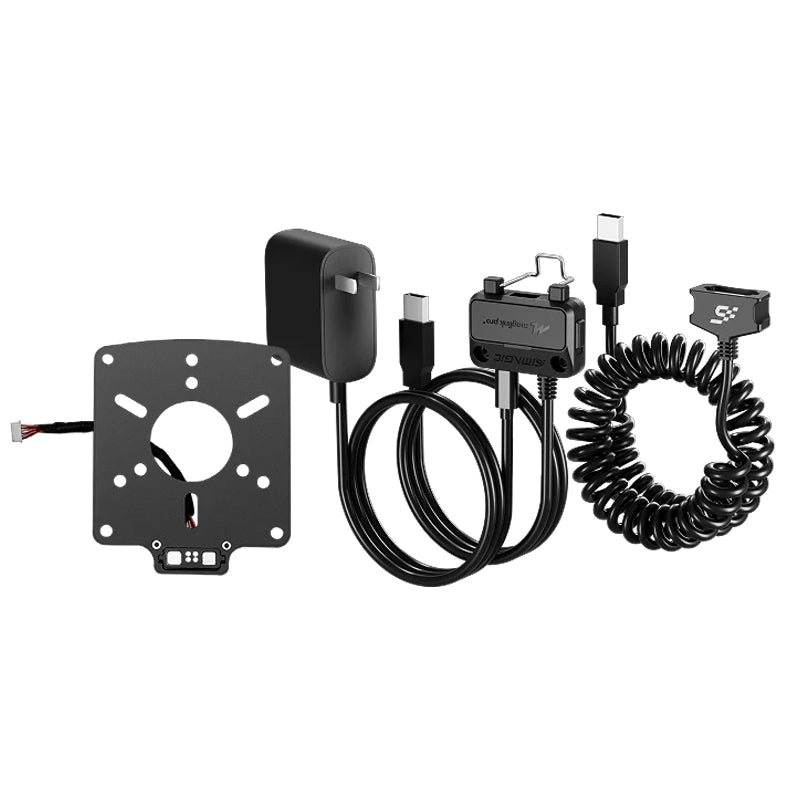
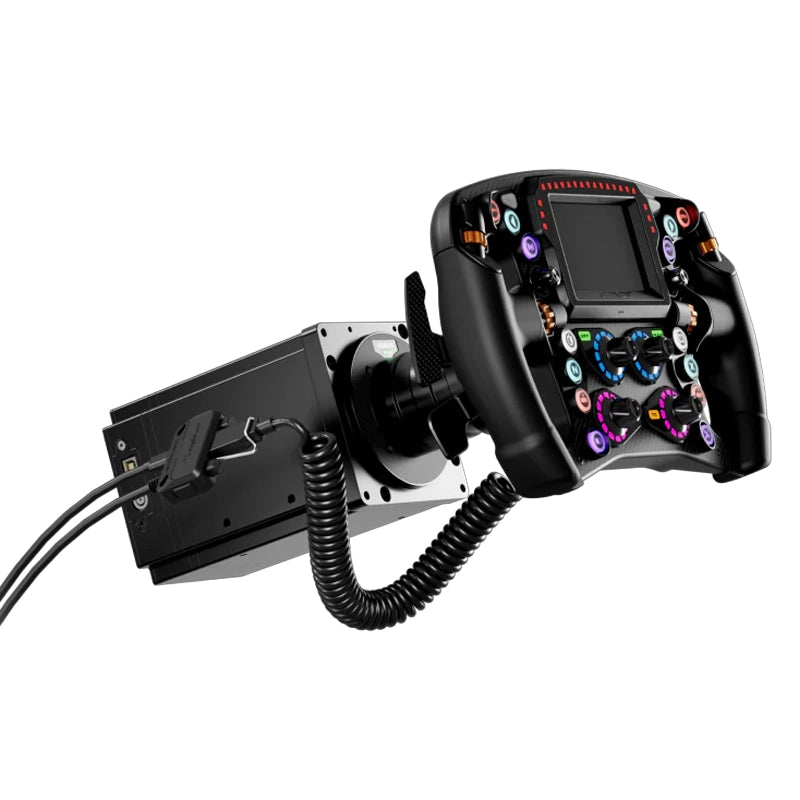
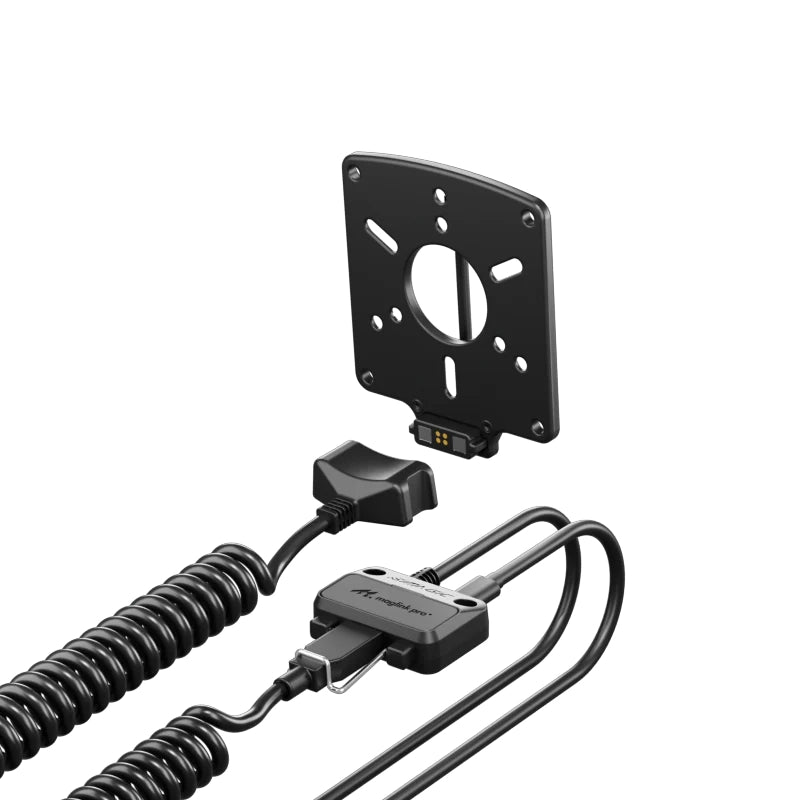
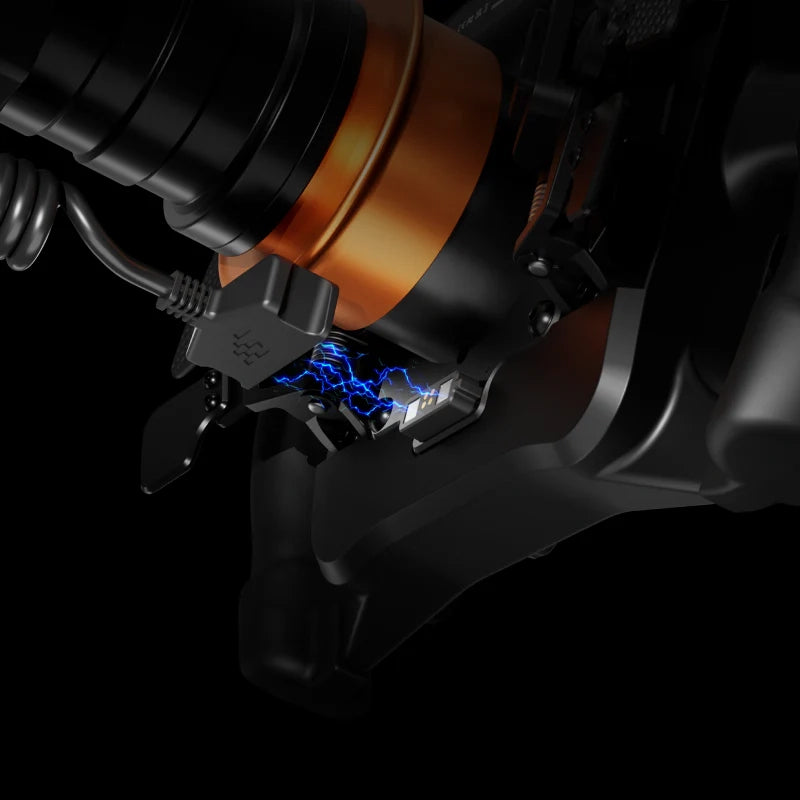
Zeus wheels connect natively to Alpha EVO bases, but for everyone else, MagLink Pro is the bridge. It mounts to the wheelbase shaft, connects via the coiled cable to the wheel, and passes all data through USB to your PC. Every button, rotary, encoder, shift light, and SimHub feature works exactly as it would on a native Alpha EVO connection.
- Proprietary protocol, not Wi-Fi or Bluetooth, purpose-built for sim environments.
- Dual antennas, integrated into the housing for optimal wireless range and stability.
- Anti-interference design, active management for environments with multiple wireless devices.
- Low-latency telemetry, consistent data delivery to the MagicDash 4 display in real time.
Simple Setup
Plug into PC. Done.
USB-C to PC · SimHub · SimPro Manager V3
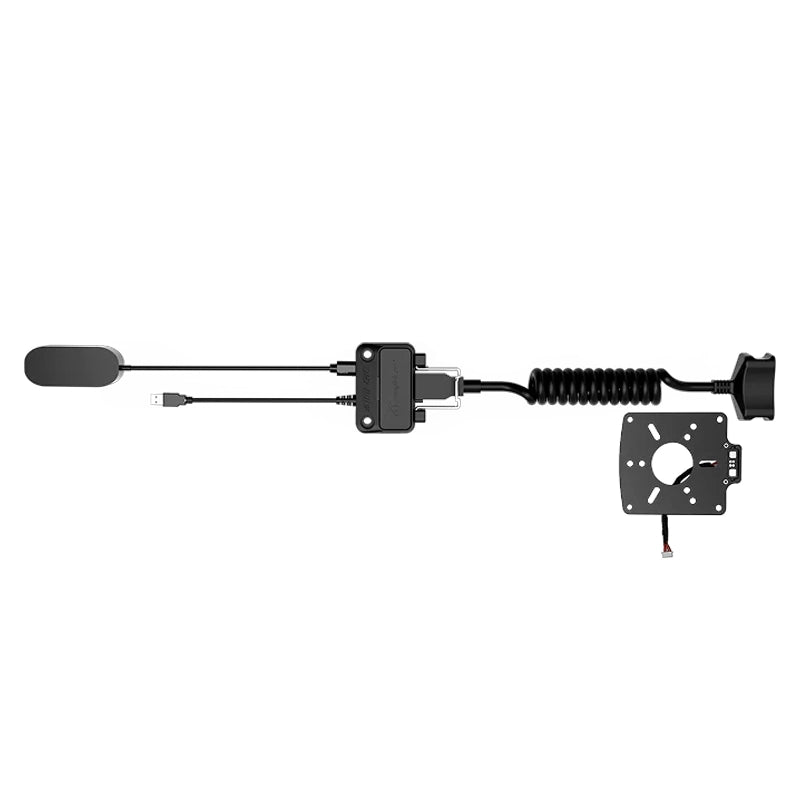
MagLink Pro uses a wired USB connection between your wheel and PC. The gold-pin connector at the wheel side provides a secure, low-resistance data path, while the coiled cable handles steering rotation across the full lock range without tangling. The hub body mounts to the wheelbase shaft via the included mounting plate.
- Included in every MagicDash 4 box, no separate purchase needed for standard setups.
- USB-C to PC, plug-in on your PC side handles the wireless link to the display.
- Auto-recognised, All inputs and RGB shift lights are fully retained through MagLink Pro.
- Standalone availability, also sold separately for additional displays or as a replacement.


Works With Every Setup
Zeus Series. Any Wheelbase. Any Sim.
iRacing · ACC · Assetto Corsa · F1 Series · rFactor 2 · LMU · And More
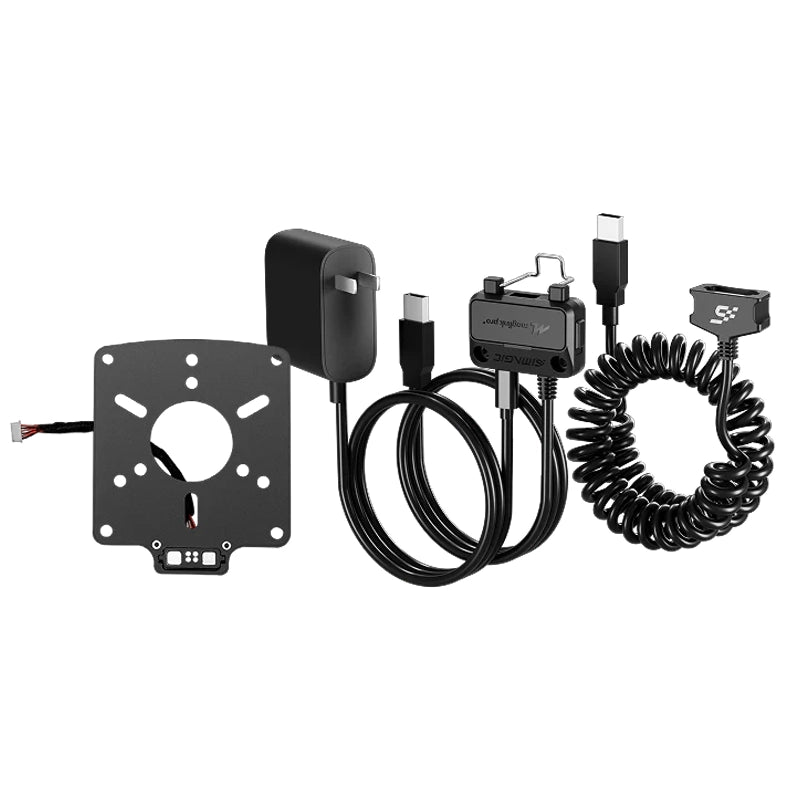
MagLink Pro ships as a complete installation kit, mounting plate, hub body, coiled cable, USB cable, and sim connector. Every component needed to connect a Zeus wheel to your wheelbase is included. No additional hardware required.
- All wheelbases, Alpha EVO, Alpha Series, M10, Simucube, MOZA, Fanatec, VRS, Asetek.
- All Zeus wheels, Zeus Formula, GT, Sport.
- Standalone MagicDash 4, works with or without a Zeus wheel present.
- All major PC sims, via SimHub (free) or SimPro Manager V3 (free).
Why MagLink Pro
Built to connect anything to anything.
Proprietary Wireless, Not Bluetooth
Every button, rotary encoder, thumb control, and Hall-sensor paddle on your Zeus wheel passes through MagLink Pro to your PC with full fidelity. No inputs are lost or downgraded compared to a native Alpha EVO connection.
Manages MagicDash 4 in SimPro V3
All 15 RGB shift indicator LEDs on your Zeus wheel operate normally through MagLink Pro. Full SimHub and SimPro Manager V3 control over shift point colours and telemetry-linked zones is retained.
Included, No Extra Cost
MagLink Pro doesn't limit your software options. SimHub and SimPro Manager V3 both see the Zeus wheel as a fully connected device, all configuration, remapping, LED control, and telemetry integration works as normal.
Run Multiple Displays
The 3m coiled cable between wheel and hub handles full steering rotation without tangling, kinking, or applying rotational resistance. The cable extends and retracts naturally with every steering input.
Technical Specifications
MagLink Pro, Full Specifications
Simagic UP+ Ecosystem
MagLink Pro Wheelbase Adapter

Common questions
MagLink Pro FAQ
What It Does
What does MagLink Pro do?
MagLink Pro is the adapter that connects Zeus Series wheels to non-Alpha-EVO wheelbases, Simagic Alpha Series, M10, Simucube, MOZA, Fanatec, VRS, Asetek, and other third-party direct drive bases. It mounts to the wheelbase shaft via the included mounting plate, connects to the Zeus wheel via a coiled cable, and passes all inputs, RGB shift lights, and SimHub/SimPro V3 data to your PC via USB. Every feature of your Zeus wheel is fully retained.
Do I need MagLink Pro for an Alpha EVO base?
No. Zeus wheels connect natively to all Alpha EVO series bases, Alpha EVO 9Nm, Alpha EVO Pro 18Nm, Alpha EVO Ultra, and Alpha EVO Sport, with no adapter needed. MagLink Pro is only required for Alpha Mini, Alpha, Alpha Ultimate, M10, and all third-party bases.
What is the difference between MagLink Pro and MagLink Pro Xtend?
MagLink Pro uses a wired USB connection and is for connecting Zeus wheels to non-EVO wheelbases. MagLink Pro Xtend provides wireless connectivity and is specifically for wireless Zeus/Neo X wheel connections on Alpha Series bases, or for running a standalone MagicDash 4 (without a Zeus wheel) on any non-EVO rig. If you want a Zeus wheel on your MOZA or Simucube base, standard MagLink Pro is all you need.
Setup & Compatibility
What wheelbases is MagLink Pro compatible with?
MagLink Pro works with: Simagic Alpha Series (Alpha Mini, Alpha, Alpha Ultimate, M10); Simucube 2 (Sport, Pro, Ultimate); MOZA (R5, R9, R12, R16, R21); Fanatec (CSL DD, CSL DD Pro, Podium DD1, Podium DD2); VRS (DirectForce Pro); Asetek (Forte, Invicta); and most other third-party direct drive bases with standard USB connectivity. Call 0488 385 870 to confirm your specific model before ordering.
Does MagLink Pro work with MagicDash 4?
MagLink Pro enables Zeus wheel functionality on non-EVO bases. For MagicDash 4 support on those same bases, MagDock (sold separately) is also required. MagLink Pro alone does not enable the MagicDash 4 dashboard, MagDock handles the physical mount and dashboard data connection on Alpha Series and third-party bases.
Does MagLink Pro work with SimHub?
Yes, all SimHub functionality is fully retained through MagLink Pro. Button remapping, RGB shift light configuration, telemetry-linked encoder lighting, and MagicDash 4 dashboard display all work via SimHub exactly as they do on a native Alpha EVO connection.
Purchasing at Player1 Sim Gear
Is MagLink Pro in stock in Australia?
Yes, we stock MagLink Pro at our Queensland warehouse as an authorised Simagic dealer. Call 0488 385 870 to confirm availability before ordering.
What warranty does MagLink Pro come with?
MagLink Pro purchased from Player1 Sim Gear carries Simagic's 2-year manufacturer warranty and is covered by Australian Consumer Law. Warranty claims are handled locally, no international shipping required. Contact us at player1simgear.freshdesk.com or on 0488 385 870.
After-Sales
Warranty & Support
Simagic 2-Year Warranty
All Simagic accessories from Player1 Sim Gear carry the manufacturer warranty. Authorised dealer, claims handled locally in Australia.
Australian Consumer Law
All purchases covered by ACL, acceptable quality, fitness for purpose, and statutory rights.
Local Support, 0488 385 870
Queensland-based team. Setup help, compatibility questions, and warranty claims handled in Australia.
Help Desk
Open a ticket at player1simgear.freshdesk.com for technical queries or warranty claims.
Build the full experience
Complete your sim cockpit
Pair MagLink Pro with a Zeus Series wheel and MagicDash 4 to complete the full Simagic UP+ ecosystem on your base.


Not sure if MagLink Pro works with your wheelbase?
Give us your wheelbase model and we'll confirm compatibility before you order. We can also advise on whether you need MagDock alongside MagLink Pro for MagicDash 4 support.
Australia-Wide Shipping
We ship all over Australia and want you to get your new gear as fast as possible, so we always aim to ship on the same day we receive your order, using the fastest and most reliable couriers in Australia. Of course, it may not always be possible to process your order on the same day, so please allow 1-2 business days for processing. If we encounter any delays we will let you know via email.
To maximise efficiency, Player1 Sim Gear ships all products in their original packaging straight from our warehouses or directly from our suppliers and manufacturers. Orders may be shipped in part or in full, and different courier companies may be used for different parts of your order. Please allow 2-8 business days for delivery. Please advise your phone number at checkout so we can get in touch with you if there is any problem. If you should receive a product that has been damaged while in transit please contact us immediately.
Please make sure someone will be available to receive your order, otherwise, your package may be diverted to your local post office or to your local shipping depot. We recommend all deliveries are sent to a business address to avoid any re-delivery charges. Note: Player1 Sim Gear will only ship to confirmed addresses, we cannot ship to PO Boxes sorry.
There may be times when the product you have ordered turns out to be out-of-stock with us or our suppliers. We will contact you to arrange a refund or alternate product if an item you have ordered is out-of-stock or unavailable for immediate shipment. You may cancel your order at any time prior to shipping.
International Orders: Apologies at the moment we don't ship internationally as standard. However if you outside Australia and there is something you'd like to purchase please do message us at sales@p1simgear.com.au, we will be happy to see what we can do.
Note re Larger cockpits and remote locations: We do our very best to ensure accurate shipping rates, however for larger cockpits and heavier items, rarely our shipping pricing may not be correct. In the event that the actual shipping costs for a large item should be exceed those quoted in your order, we will call you to discuss before we dispatch. You will have the option then to amend or cancel your order at no cost.
Returns Policy
We hope we can provide as much information and guidance as possible about each item so that you will love whatever you buy. We do understand though that the unforeseen happens. So in the unlikely event you wish to raise a return, please contact us and we shall discuss options and how we will proceed with the return request.
We have a 30-day return policy, which means you have 30 days after receiving your item to request a return. You may return your item(s) for an exchange/refund, so long as it is in the same condition that you received it, unopened, with tags and in its original packaging. You’ll also need the receipt or proof of purchase.
To request a return, you must first send an email to support@p1simgear.com.au with your Order number as the email subject and Reason for Return in the email body/message. We will reply to your email with your relevant return information. We will not accept any returned items if we have not had an email from you requesting a return, so you must request a return first, before sending anything back.
Damages and issues
Please inspect your order upon reception and contact us immediately if the item is defective, damaged or if you receive the wrong item, so that we can evaluate the issue and make it right.
Refunds
We will notify you once we’ve received and inspected your return, and let you know if the refund was approved or not. If approved, you’ll be automatically refunded on your original payment method. Please remember it can take some time for your bank or credit card company to process and post the refund too.
-
You, the buyer, are are fully responsible for paying all charges necessary to return the item to us. A restocking fee of up to 20% of the returned product's value may apply.
-
Items must be returned sealed and unused in their original packaging and in a fully resalable condition. All items are supplied to you, the customer, in brand new condition unless explicitly stated otherwise in the product title. For such items supplied in Brand New condition, if any seals have been broken, the item cannot subsequently be sold as new after the return, therefore the return will be declined or a restocking fee will be levied and partial refund given.
-
If the item is deemed DOA or faulty once opened, we shall troubleshoot and assess the nature of the fault and repair the item or replace like-for-like, should the fault be deemed a legitimate fault.
-
Items returned that are not in their original condition may not be accepted, and the refund request declined.
-
Returned items must be complete with all packaging in good condition, ready for immediate resale. All components and items within packaging (e.g. polystyrene/bubble wrap) must be returned also. We reserve the right to levy a charge to replace product packaging which is damaged / defaced / missing.
-
We cannot accept responsibility for returned parcels which are undelivered back to us (e.g. lost by the courier, delivered to incorrect address) or damaged in transit back to us. We strongly advise you send returned items using an insured & tracked service. Furthermore, we also strongly advise you to obtain and retain your proof of postage, as you may require it should you decide to make a claim against your carrier should they damage or lose your item whilst returning it to us.
For items which require assembly, we are not responsible for any charges (labour or otherwise) incurred during fitment/removal of allegedly faulty (or incorrectly supplied) parts.
Returns made outside of the 30-day return window, or with no valid reason, will be declined.
Pre-Order CancellationsIn the event a Pre-Order becomes unavailable or is cancelled by Player1 Sim Gear you, the buyer, are entitled to a full refund. In the event that you change your mind or choose to cancel your Pre-Order for any reason prior to shipment, cancellation fees may apply to offset any unrecoverable costs incurred by Player1 Sim Gear.